 WebHostDesignPost
When outlining your website layout you will run into a lot of different element you will need to decide on. Typography, colors, templates…you may find yourself overwhelmed with all the different areas. Having some ideas and goals could save you a lot of time and frustration when developing your new site.
Site Planning, Milestones, and Goals

With the internet being a part of our daily lives, everyone wants to start a site. This is where your website layout idea will start to develop.
The first process is the most important one when starting to build out your site. You need to determine what your goals, desires, and target audience is going to be. Once you have a general idea of your goals, you your master plan will start to clear up to exactly where you want to go.
Brainstorming & Storyboarding
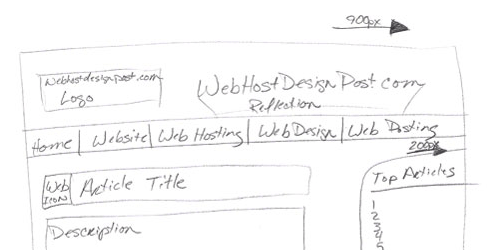
Brainstorming is a great was to push out some ideas for you website. Just use a piece of pager and a pencil and start writing what you want in your site. This could be categories, content ideas, how you are going to help people. You site needs a reason for people to come.
Once you have an idea hashed out try getting more paper and do some quick storyboarding. This can help you get a feel of your site's layout. If it's not going as planned, tear it up and start over.
There is nothing wrong with doing it multiple times until you get it right.
Colors
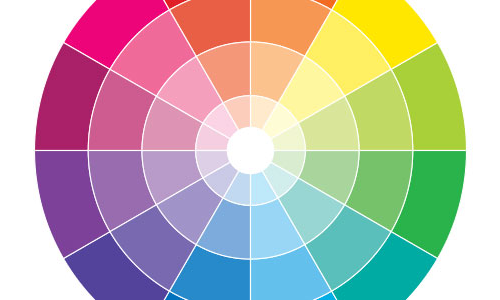
The colors you choose for your site can affect how people feel about your site.
For example:
If you do a black background with white text, people will have a hard time reading your content and get frustrated. They will leave your site and never return.
Colors can be a hard subject to tackle, if you are having a hard time matching colors try using Adobe Color tool. You can choose a base color and decided which color rule will complement your site.
Typography
Like colors, typography can be a hard topic to get right. Luckily there are a lot of web safe fonts that are 100% safe to usability and for readability.
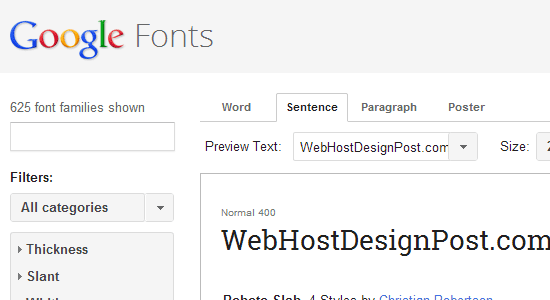
If you want to get more adventurist, you can try Google Fonts and important a custom font to your site. If you do this, make sure readability is your number one goal. Don't get catch up with signature fonts or bitmap fonts because they "look cool". Find something that will be easy one your eyes.
KISS IT
With everything with your website layout, try to KISS it. Or Keep It Simple Stupid. Some of the best sites they have millions of traffic have a simple straight to the point layout. You only have 5 seconds to wow your visitors before they decided to go further into your site.
The most important impression is your first.
Responsive Design
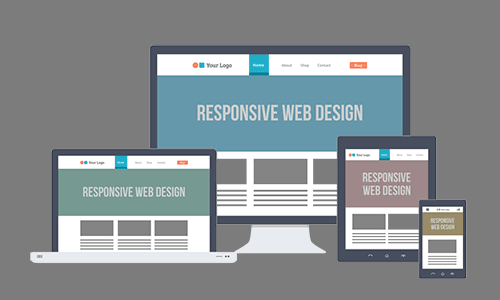
To take your perfect layout further you will need to think about mobile devices. Mobile phones and tables make up more than half of the traffic on the internet today. If you site isn't optimized for them you will be making a huge mistake.
This is where responsive design comes in/ Your site will dynamically adjust its layout to fit the different device resolutions. The important principle when doing responsive design is how your elements will stack horizontally.
Website Layout Examples
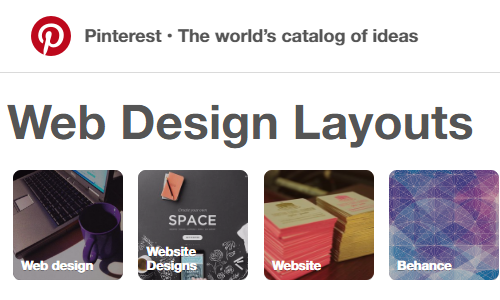
If you find yourself stuck there is nothing wrong with looking at other sites. Try to pin point why you like the site, or why you don't like the site. Start making a list of features you would like to include into your site.
There are tons of great resources on Pinterest in their web-design-layout section.
You Are Never Done
One thing you need to realize is that your design layout will never be complete. You will continually change and tweak things you don't like about it. It may also find yourself changing it every couple of years to match the current trends.
One thing you need to do is to get one up and live. Don't spend too much time changing and making it perfect. Because you want to go forward all the time, don't stand still with your layout. Get something for your visitors to enjoy and continue to work on it.

 Newsletter Signup
 Popular Articles
 Recently Updated Articles
What Do You Think?